KNOW YOUR
FORMATION.
TroopToTask replaces scattered spreadsheets and whiteboards with one structured system for personnel readiness, training compliance, and daily accountability.
See your entire formation across weeks, not just today.
The availability calendar shows every soldier's status across a rolling window. One look tells you who's here, who's not, and when they're back.
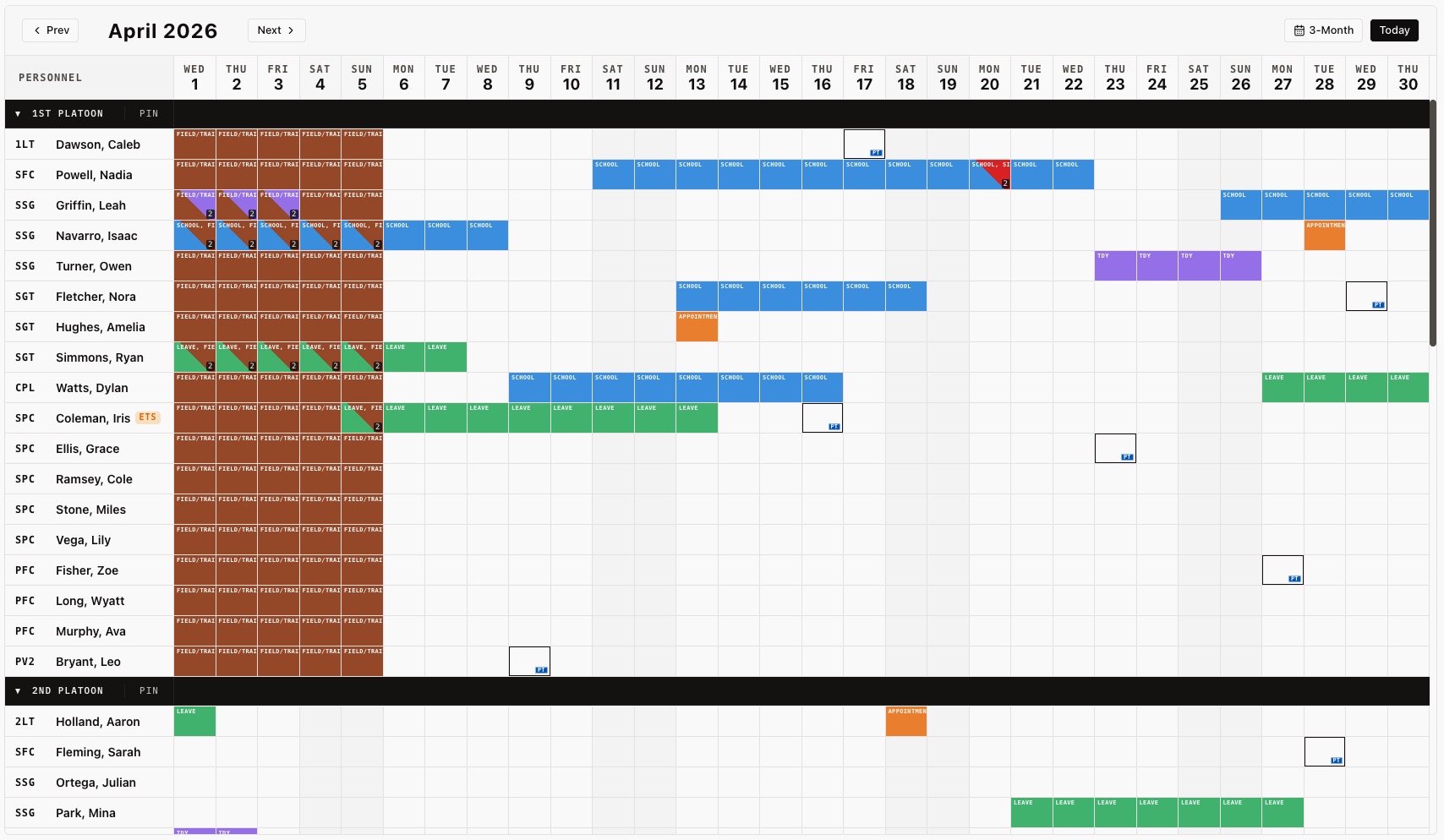
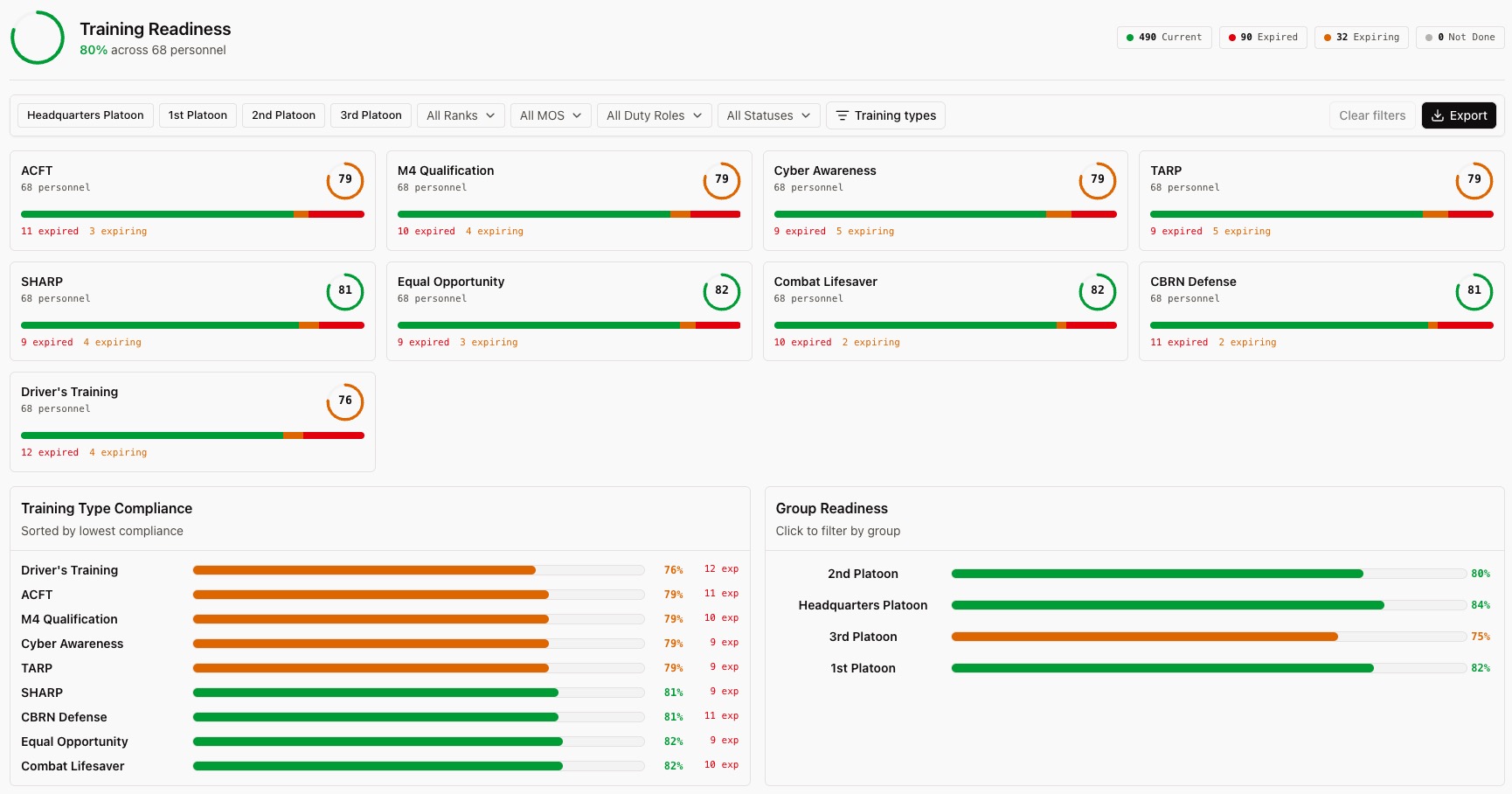
Every requirement. Every soldier. One view.
Track certifications, ACFT scores, weapons quals, and mandatory training across your unit. Color-coded compliance shows what's current, expiring, and overdue without opening a single spreadsheet.
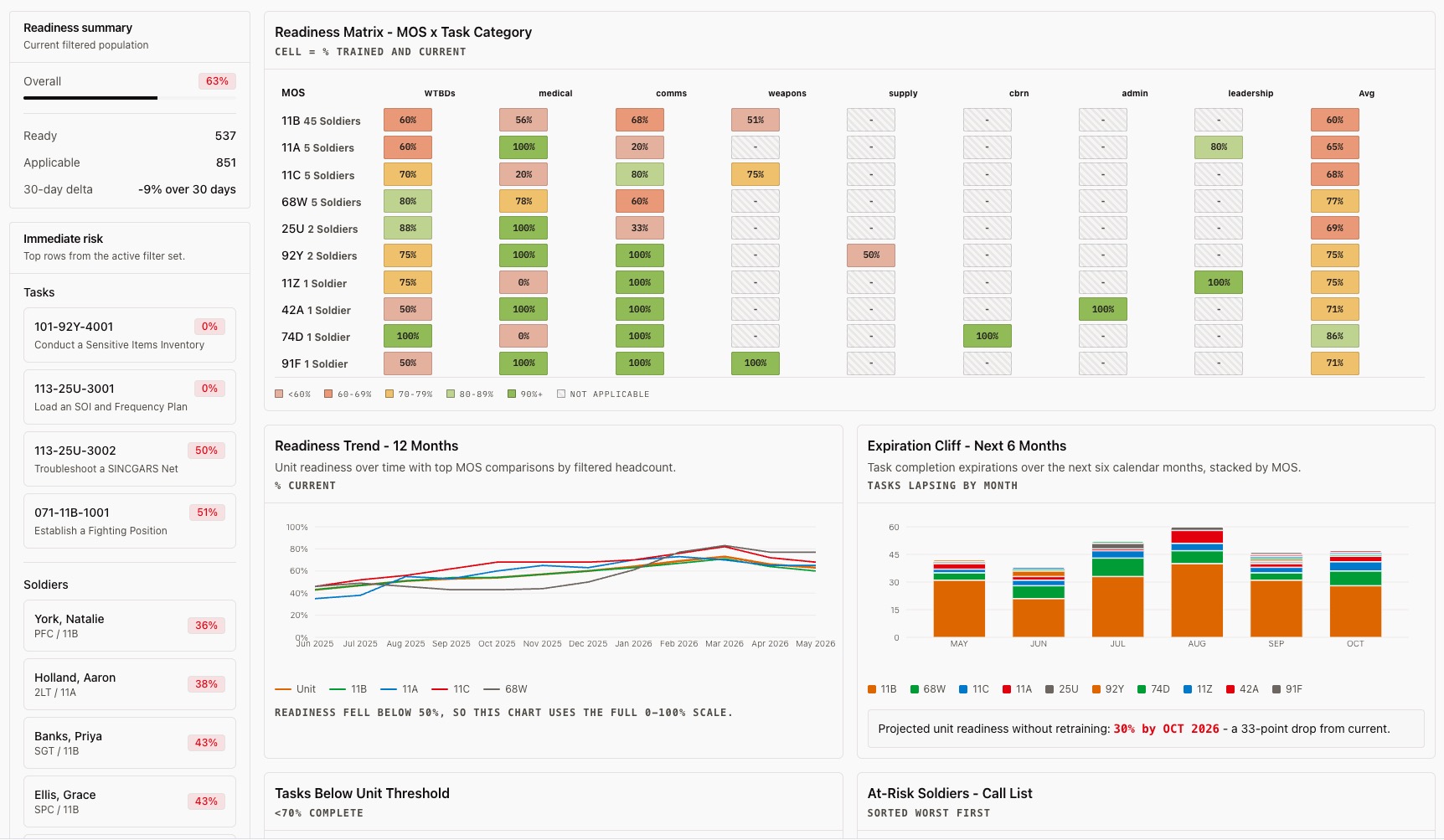
The readiness picture your commander actually needs.
MOS-level readiness matrix, expiration cliff projections, and at-risk soldier call lists. Built for the training meeting, not the filing cabinet.
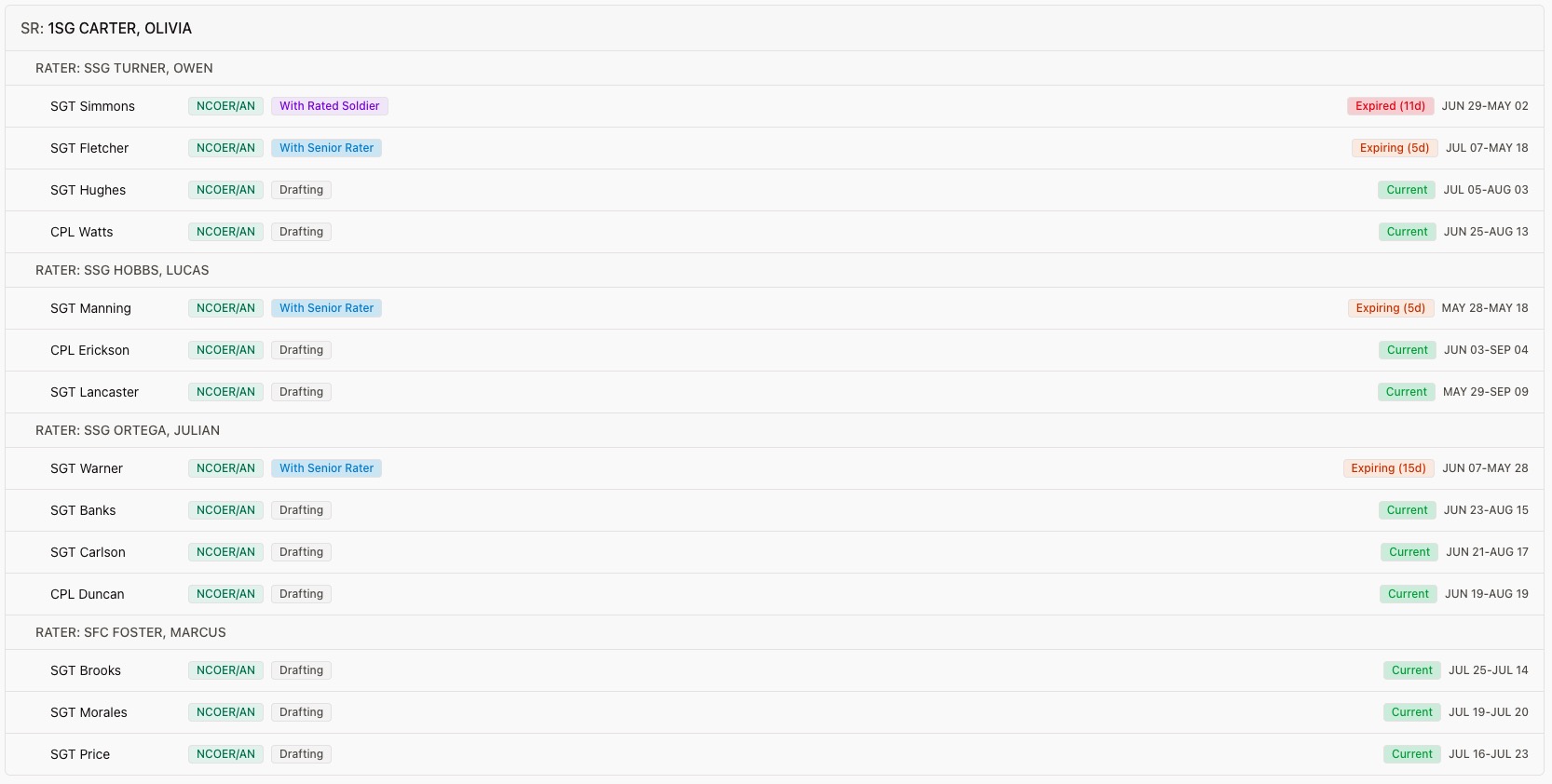
Never miss another NCOER deadline.
Track rating chains, evaluation timelines, and submission status across the unit. Surface expired and expiring evaluations before they become the next Command Climate Survey finding.
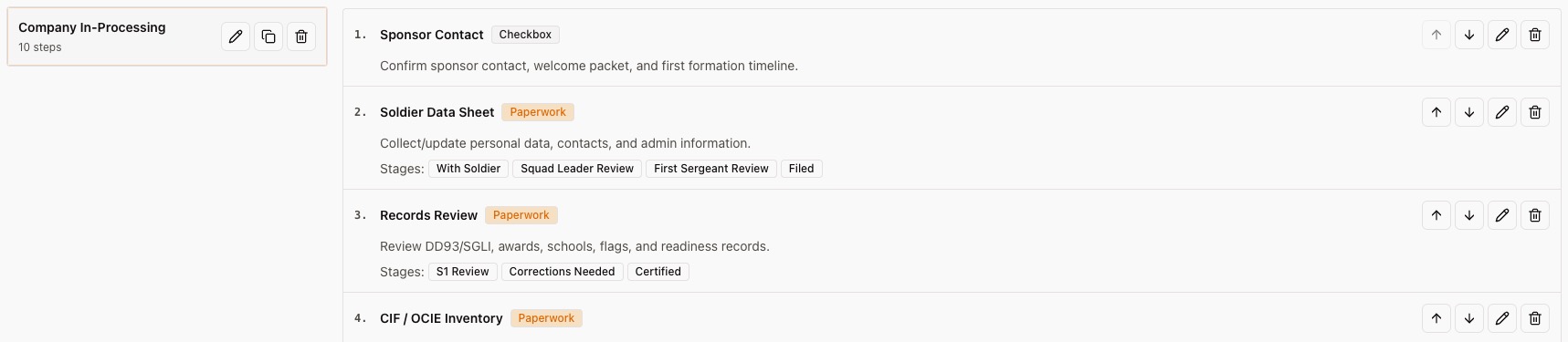
Onboarding that doesn't require a whiteboard.
Build checklist templates once. Every new arrival gets a tracked workflow with stage-by-stage visibility for every leader in the chain.
And this is not the whole platform.
Personnel records, permission-scoped access, exports, audit history, sign-in rosters, counseling support, and admin workflows are built into the same operating picture. The landing page only covers the workflows leaders ask about first.
The whiteboard gets erased. The shared drive is a mess. Someone always has a different version of the roster. TroopToTask is the one place every leader looks.Company Commander, Active Duty Infantry Unit
Replaces the whiteboard
Statuses update in the system. No marker, no erasing, no confusion about what's current.
Replaces the spreadsheet
One structured roster. Exports are format-ready. No reformatting for the S1.
Replaces the shared drive
Counselings, training records, and onboarding checklists in one permission-controlled location.
Replaces the handoff binder
Security-relevant audit logs give incoming leaders context from day one.
The questions people ask
before they hand over the roster.
You define every status yourself: the name, the color, and whether it marks a day as a unit closure (like a training holiday or DONSA). If your unit has a status called "PDHA/PDHRA" or "Rear D," that's exactly what you'll see on the calendar. Your formation, your language.
Yes. When you invite someone to your organization, you can scope their access to a specific group. Group-scoped access can let leaders update statuses for their Soldiers and track training, but they won't see counseling records, onboarding checklists, or personnel data for anyone outside their group. They get exactly the visibility they need to do their job.
Upload an Excel or CSV roster, map its columns to the right personnel fields, and review the rows before importing. Name, rank, MOS, section, and other roster details can come from your existing file.
Anything your unit requires. You create training types and set their expiration and warning windows. TroopToTask then tracks every Soldier against them and color-codes the matrix for current, approaching expiration, and overdue records using each type's settings. You can mark Soldiers as exempt, track pass/fail or attendance, and export a training report for your briefing.
You can export personnel rosters, training reports, and calendars to Excel. Calendar exports retain status colors; training reports include readable status labels. Independent sign-in rosters can be printed from the browser.
TroopToTask aligns to NIST 800-171 with AES-256 encryption at rest, TLS 1.2+ in transit, role-based access control with group scoping, and security-relevant audit logs for accountability and review. It is not authorized for classified information, but for the administrative and personnel data that runs your day-to-day operations, the controls are where they need to be.
READY TO RUN
A TIGHTER UNIT?
Request reviewed access for your unit. We work with you to configure your structure, import your roster, and train your team leads.